Suggested replies
What the AI drafted, the sentences it held back, where it got them, and how to use them.
Where the AI has drafted an answer, that draft lives inside the reply box — not above the conversation. Press Reply, and the sparkle in the tool row shows and hides it.
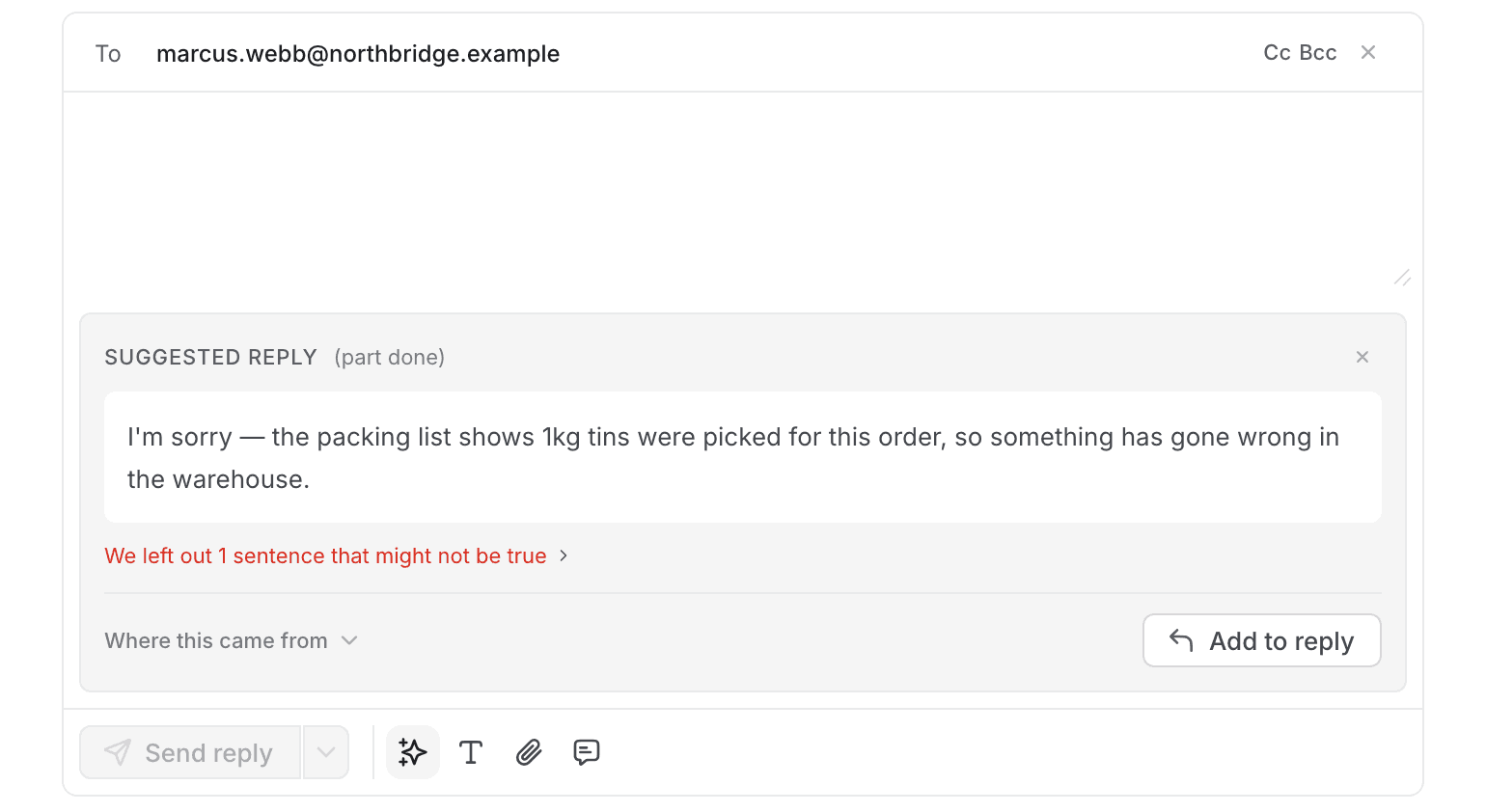
It is in the box because that is what it is for. A thread you are only reading is just the thread.
What you see
The draft, as sentences you could send. These are the ones the AI could support from sources it is allowed to use.
What it left out, as one line:
We left out 1 sentence that might not be true
Open it to read what was held back and why. The line stays collapsed by default, because spelling it out puts two versions of the reply on screen at once and the first question becomes "which of these am I sending?".
Read that line even when you do not open it. It is telling you the draft is short of something — often the one specific fact the customer actually asked about. A short draft with no warning means the AI found little; a short draft with a warning means it invented something and was stopped.
Where this came from opens the classification and the sources behind the draft — the intents this thread was matched to, and which documents the sentences came from. Worth a look when a claim in the draft looks wrong.
Using it
Add to reply puts the draft into the box below.
What goes in is the supported part, always. The held-back sentences are not in the text that reaches the box — not filtered out of it, never in it. There is no version of this where a refused sentence reaches a customer because something was left unticked.
Once you have taken it, the sentences stop being repeated in the panel — they are in the box now, and two copies of the same paragraph is one copy too many. The warning and the sources stay, because those are still about what is in the box.
It is a draft, not a reply. Editing it afterwards is expected. The Add to reply button is deliberately quieter than Send for that reason — one puts text in a box, the other sends mail to a customer.
When there is nothing
"No suggested reply for this thread." The AI classified the thread but wrote nothing for it. You write this one.
"No intents are configured on this channel, so nothing can be classified." Nothing is wrong with the thread — the channel has no taxonomy set up, so there is nothing for the AI to classify it against. That is an administrator's job, not yours.
The triage label
A thread the AI has looked at carries what it made of it:
| ready to send | It believes the draft answers the customer. |
| needs you | It wants a person on this one. |
| part done | It handled some of it. |
Treat these as a starting point. "Ready to send" is the AI's opinion about its own draft, and the held-back line directly beneath it is the reason to check that opinion.