Attachments
Previewing a file, downloading it, and the four reasons a file will not open.
Files on a message sit under a line saying how many there are and whether they were scanned.
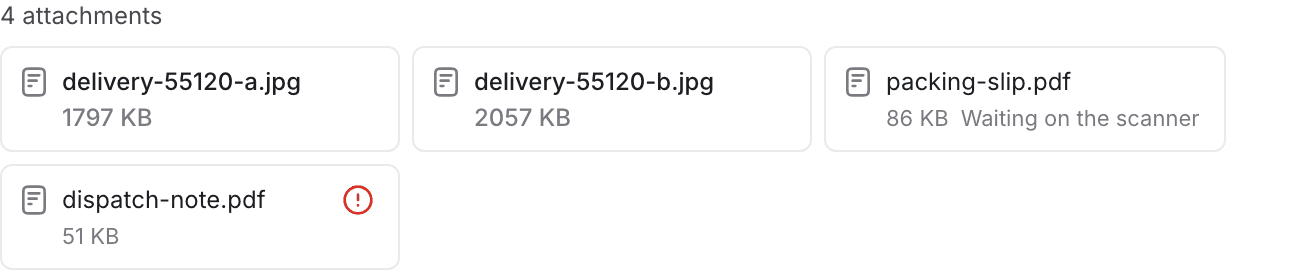
The line above them
"Scanned — nothing harmful found" means every file on that message came back clean. It appears only when every file is clean — a message with one file still in the scanner, or one that was refused, gets the count alone.
When something is wrong with a file, that file says so itself: as a few words under its name, or as a red icon carrying the reason. Rest on the icon to read it.
Files you sent are not scanned and do not claim to be. They came from your own machine through this console and were checked against the channel's rules on the way out.
Opening one
Select a file to open it full-screen over the desk.
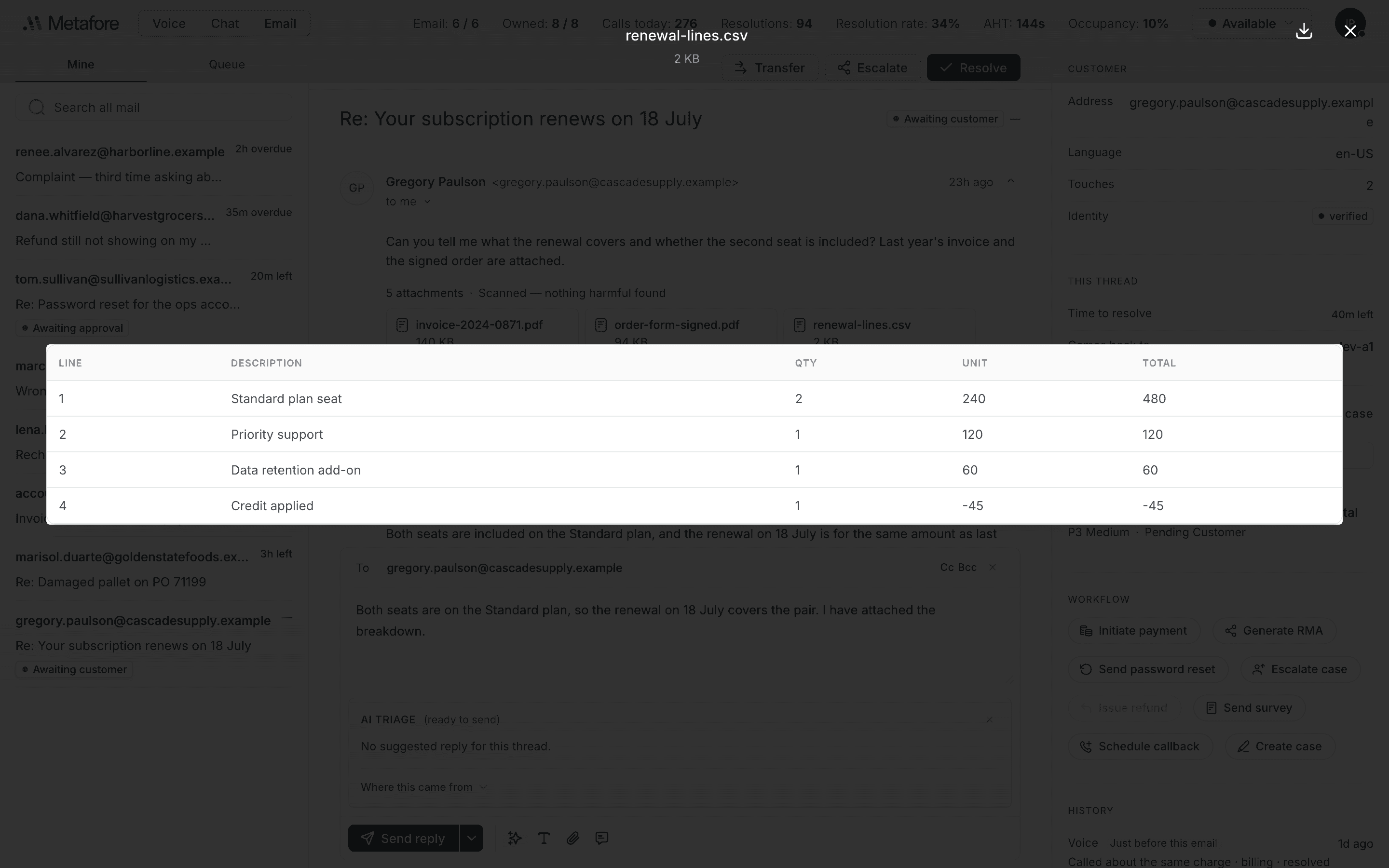
| Control | What it does |
|---|---|
| Page | Step through a multi-page document, or type a page number. |
| Zoom | In, out, and back to actual size. |
| Previous / next file | Move between the files on the same message without closing. |
| Download | Save it to your machine. |
| Close | Back to the thread. Escape works too. |
These open in the shell directly:
| Type | |
|---|---|
| Documents | PDF, Word |
| Spreadsheets | Excel, CSV |
| Text | plain text, JSON |
| Pictures | PNG, JPEG, GIF, WebP |
| Video | MP4, WebM, QuickTime |
Anything else opens to a card with the file's name, the reason there is no reader for it, and a Download button. The file is fine — the desk simply has nothing to show it with.
SVG files are never previewed, even though they are pictures. An SVG is a document that can carry code, so it gets the same treatment as any other file the desk will not render: download it and open it somewhere safer.
The four reasons a file will not open
These are four different problems with four different answers, and the file says which one it has.
Refused by the channel
This channel does not accept this file type, so it was never opened.
Your organisation's rules for this channel do not allow that kind of file. It was turned away at the door — nothing scanned it, because nothing opened it. Ask the customer to send it another way.
Malware found
The scanner found malware in this file.
The scanner opened it and found something. It cannot be previewed or downloaded, and it must not be forwarded. This one is final.
No copy was kept
No copy was kept — ask them to send it again.
Something went wrong when the file arrived and it was never stored. The row is a filename with nothing behind it. There is nothing to scan and nothing to recover, so the only fix is to ask for it again.
Waiting on the scanner
Waiting on the scanner
The file arrived and the scan has not finished. This one clears itself — the thread refreshes every few seconds, and when the verdict lands the file becomes openable without you doing anything.
Waiting is not the same as clean. An unscanned file cannot be previewed or downloaded, and that is deliberate: opening a file before the scanner has finished with it is worse than not seeing it at all. Wait for it.
If a file fails to display
Occasionally a file is clean, kept and of a type the desk knows, and still will not render — a corrupt PDF, for instance. The shell says That file could not be displayed — download it instead, and the download still works.