Closing a chat
Closing with a reason, leaving a comment for whoever picks the customer up next, and moving a chat to a phone call.
How a chat ends, and the one other way out of it.
Close session
Close session is at the top of the conversation. It opens a short form rather than closing immediately, because two things are wanted before the chat goes.
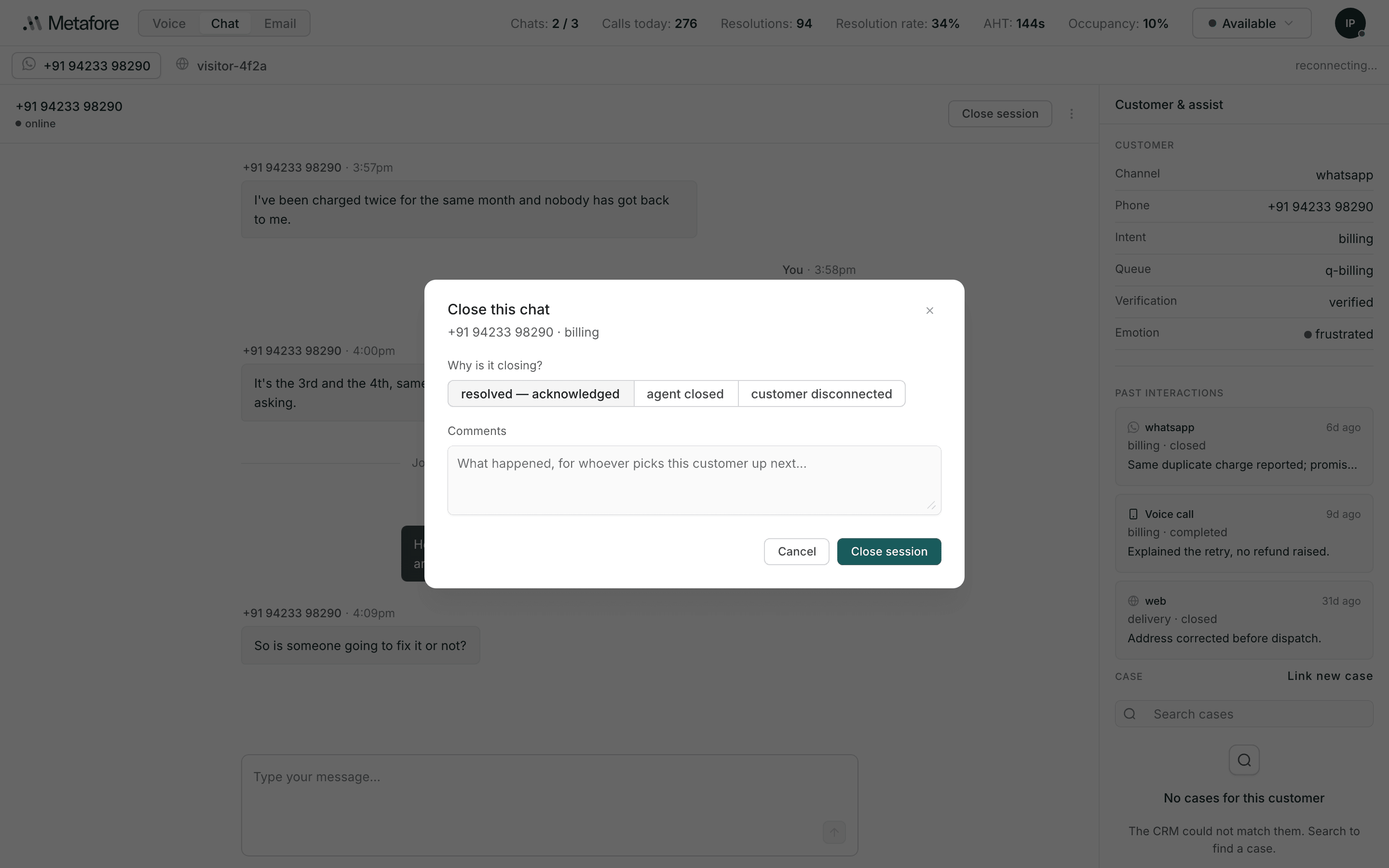
Why is it closing?
Pick one:
| Reason | Use it when |
|---|---|
| resolved — acknowledged | The customer's problem is solved and they have said so. |
| agent closed | You are closing it — resolved as far as you can take it, or nothing more to do. |
| customer disconnected | They stopped responding or the connection went. |
The distinction matters after you have gone. "Resolved — acknowledged" and "agent closed" look identical in the transcript and mean quite different things to whoever reviews it.
Comments
Under the reason is a box:
What happened, for whoever picks this customer up next…This is not a summary for a report. It is a note to the next person who talks to this customer, and it appears to them in Past interactions — the section you read at the start of your own chats.
Write the comment for a stranger in a hurry. One line about what was actually wrong and what you did is worth more than a paragraph. "Refund raised, reference in the case — she is expecting it Friday" is a good comment.
Closing frees a slot: your Chats: 2 / 3 count drops, and routing can send you
another.
Escalate to voice
Some conversations are faster spoken than typed. Escalate to voice, in the chat's actions menu, moves this customer to a phone call.
The context goes with it — the call arrives with what you already know about this customer rather than starting cold.
Escalating is not closing. Moving to voice is a change of channel for the same piece of work. The chat is not "resolved" because it became a call.
Use it when typing is slowing things down: a long explanation, a frustrated customer, anything where a back-and-forth would take ten messages and one minute of talking.